
This shop stocks three desk mat sizes: Small at 14.4 × 12.1 in (36.58 × 30.73 cm), Mid at 23.6 × 13.8 in (59.94 × 35.05 cm), and XXL at 31.5 × 15.5 in (80.01 × 39.37 cm). The deciding factor is width: fitting a full-size keyboard and a mouse on the mat together needs roughly 64 cm (25 in) of usable width. The Small size is usually too narrow for both at once, the Mid size is close but tight, and the XXL has real room to spare.
The three sizes, side by side
All three sizes below are the real, currently stocked desk mat dimensions, confirmed on multiple live products in this shop. They are listed in inches first because that is how the product pages state them, with the centimetre figures converted using the exact 1 in = 2.54 cm factor.
| Size | Inches | Centimetres |
|---|---|---|
| Small | 14.4 × 12.1 in | 36.58 × 30.73 cm |
| Mid | 23.6 × 13.8 in | 59.94 × 35.05 cm |
| XXL | 31.5 × 15.5 in | 80.01 × 39.37 cm |
One nuance matters before you plan a layout around any of these numbers: not every individual artwork in this catalogue is offered in all three sizes. One of the two worked examples below uses a design that currently only ships in Small — check a product’s own size list before building a layout around Mid or XXL.
How wide a mat actually needs to be
A typical full-size keyboard is about 44 cm (17.3 in) wide. Beside it, a mouse needs roughly 20-25 cm (8-10 in) of swing room for comfortable arm movement without running off the mat’s edge during normal use. Add the two together: 44 cm + 20 cm = 64 cm at the low end, and 44 cm + 25 cm = 69 cm at the high end, rounded here to about 70 cm. That gives a practical keyboard-and-mouse “active zone” of roughly 64-70 cm (25-27.5 in) that should sit fully on the mat if you want both pieces of hardware covered.
This is a rule of thumb built from typical component widths, not a lab-measured ergonomic standard, and it moves with your actual hardware. A compact or laptop-style keyboard is narrower than 44 cm and needs less. A mouse used mostly for fine, small-area work — a vertical mouse or a trackball, say — needs less swing room than a wide gaming sweep, and will sit comfortably on a narrower mat. Measure your own keyboard and mouse position before treating 64-70 cm as a hard requirement rather than a starting estimate.
Applying the rule to each size
With that active zone in mind, here is how the three stocked sizes actually perform:
- Small (36.58 cm wide): about 27.42 cm short of the 64 cm active zone (64 − 36.58 = 27.42 cm). Fine for a compact or laptop keyboard on its own, or as a mouse-only mat, but a full keyboard and mouse together will usually overhang it.
- Mid (59.94 cm wide): about 4.06 cm short of the 64 cm active zone (64 − 59.94 = 4.06 cm). Workable for most keyboard-and-mouse combinations, tight if your mouse needs a wide swing.
- XXL (80.01 cm wide): about 16 cm of margin beyond the 64 cm active zone (80.01 − 64 = 16.01 cm). The comfortable choice for a full keyboard and mouse, and the only one of the three with real spare room if you also reach across to a second monitor.
As a quick reference, here is the same comparison against the 64 cm active-zone floor:
| Size | Width | Vs. 64 cm active zone | Full keyboard + mouse? |
|---|---|---|---|
| Small | 36.58 cm | 27.42 cm short | No — compact keyboard or mouse-only |
| Mid | 59.94 cm | 4.06 cm short | Mostly — tight with a wide mouse swing |
| XXL | 80.01 cm | 16.01 cm to spare | Yes — comfortable, room for dual monitors |
Depth adds up too, not just width
Width drives the keyboard-and-mouse decision, but depth changes by almost the same amount at every step: Small is 30.73 cm deep, Mid is 35.05 cm, and XXL is 39.37 cm. Mid is 35.05 − 30.73 = 4.32 cm deeper than Small, and XXL is 39.37 − 35.05 = 4.32 cm deeper than Mid — the same step both times. That extra depth mostly buys palm-rest room in front of the keyboard and swing room behind the mouse, rather than more width for the keyboard itself.
Worked example: a 140 × 70 cm desk with the XXL mat
Desk: 140 × 70 cm (55.1 × 27.6 in). Centring the 80.01 × 39.37 cm XXL mat on it gives side margins of (140 − 80.01) ÷ 2 = 29.995 cm, about 30 cm on each side, and front-to-back margins of (70 − 39.37) ÷ 2 = 15.315 cm, about 15.3 cm top and bottom. Inside the mat, the 64 × 25 cm keyboard-and-mouse active zone used above fits with 80.01 − 64 = 16.01 cm of width to spare across the mat — about 8 cm clear on each side if centred. That spare width is also where a dual-monitor setup’s wider reach, or a second peripheral, has room to sit.
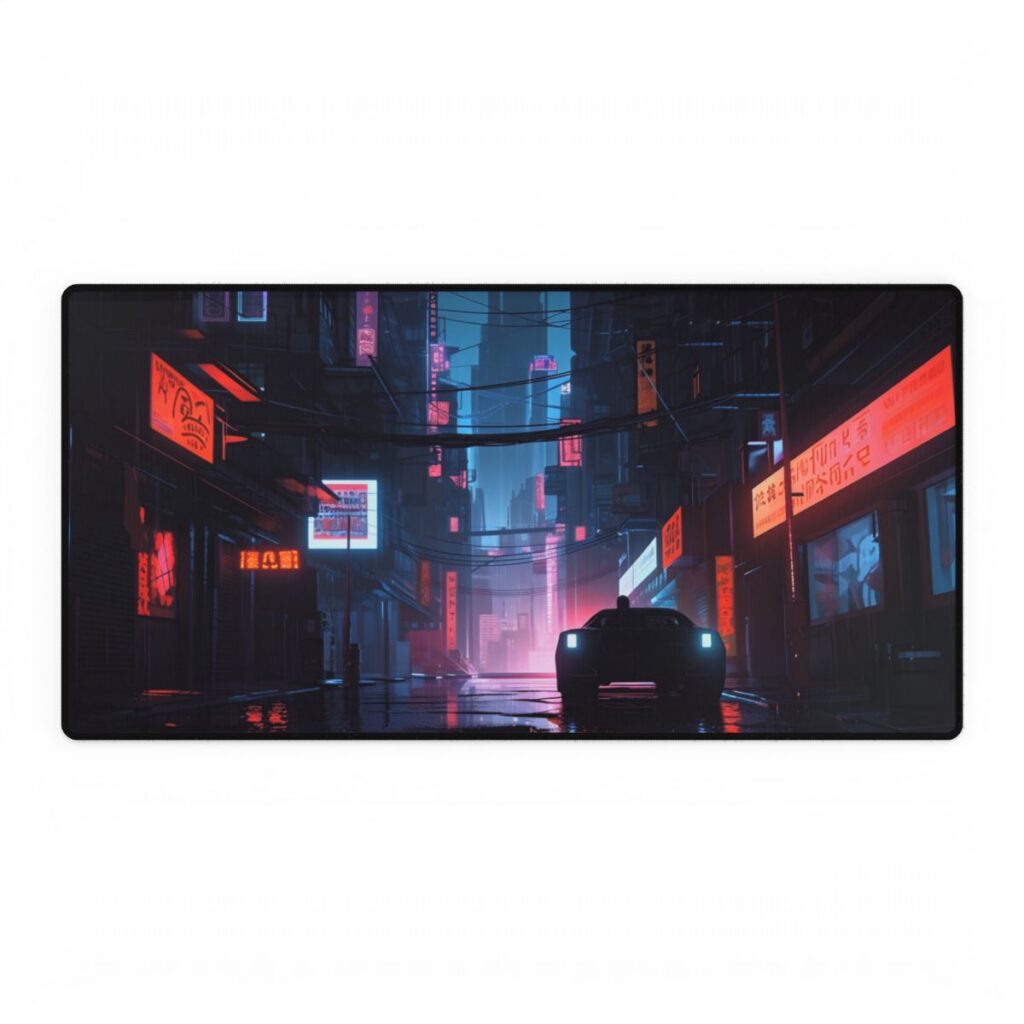
The Neon Alley Desk Mat is available in all three sizes, including the XXL used in this example — all of its artwork, like the rest of the catalogue, is AI-generated art directed by Burak Basci. A second option in the same visual family, the Cyberpunk Cityscape: Nighttime Landscape Photograph Desk Mat, is also confirmed in all three sizes, so it’s worth comparing a painterly treatment against a photographic one of the same night-city theme — check its product page for current sizes and finishes.
Worked example: a compact 100 × 60 cm desk with the Small mat
Desk: 100 × 60 cm. Centring the 36.58 × 30.73 cm Small mat on it gives side margins of (100 − 36.58) ÷ 2 = 31.71 cm and front-to-back margins of (60 − 30.73) ÷ 2 = 14.635 cm. On a desk this size, the Small mat is a sensible pick for a laptop keyboard or as a tidy accent — not because the desk itself is small, but because the roughly 64 cm active zone from above doesn’t need to be fully covered unless you specifically want a full keyboard and mouse to sit on the mat together.
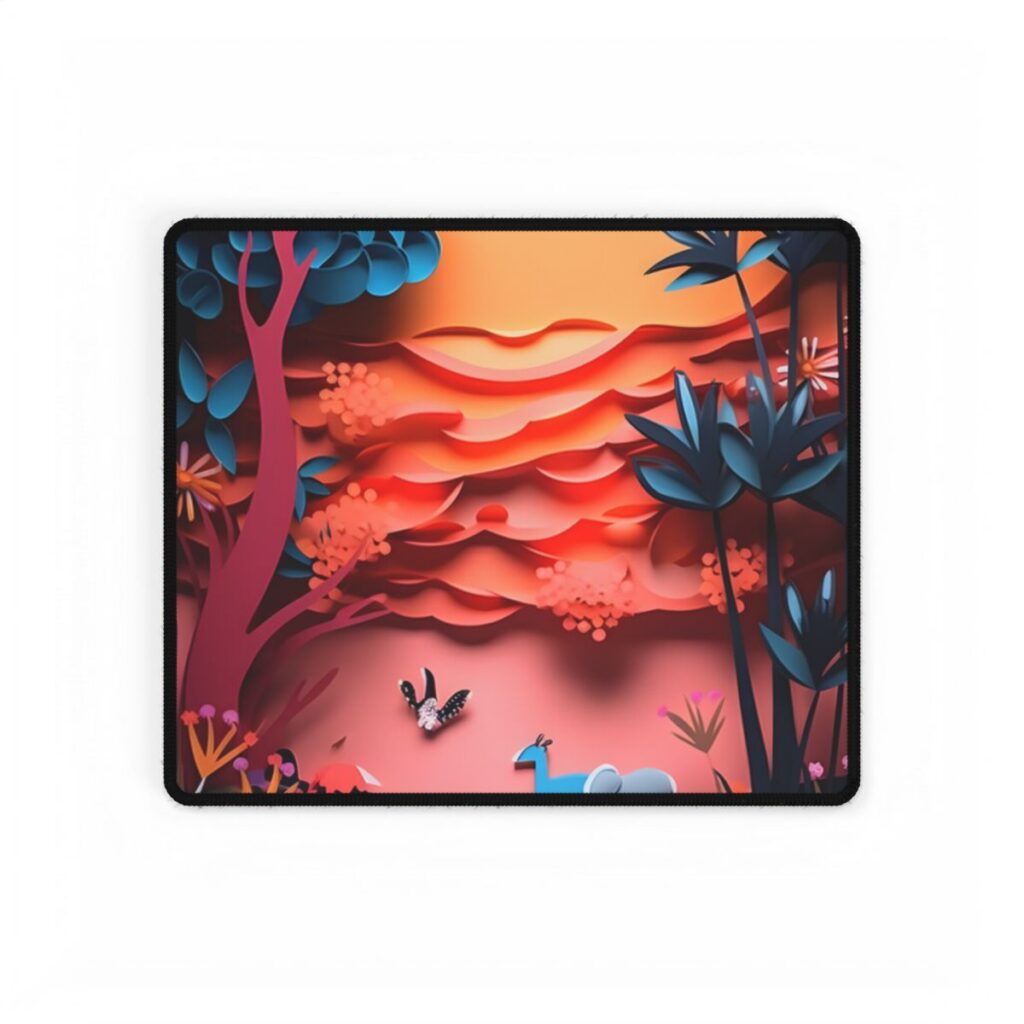
The Vibrant African Quilling Landscape: Colorful Paper Art Desk Mat illustrates the catalogue nuance flagged above: this design currently only lists the Small size. Not every motif in this shop is offered in all three sizes, so always check a specific product’s own size list before building a layout around Mid or XXL — this one simply isn’t offered that way at the moment.
Desk mats, monitor arms, and wall art
Desk mats are thin — a few millimetres — and lie flat, so they don’t create a height or clearance problem near a monitor arm or stand base. The only thing worth checking is whether the mat’s footprint, using the measurements above, actually fits where the arm or stand’s base sits on the desk.
A desk mat is also only one surface in a home office. For how a desk mat sits alongside posters, canvas prints or framed prints on the wall behind the same desk, see Choosing Art for a Home Office, which works through a different desk mat example alongside wall-mounted pieces.
Frequently asked questions
What size desk mat do I need for a keyboard and mouse?
Plan for about 64-70 cm (25-27.5 in) of width if both should sit fully on the mat. The Mid size (59.94 cm) is close but tight, while the XXL (80.01 cm) has real spare room, as shown in the sizing rule above.
Is a bigger desk mat always better?
No. The Small mat (36.58 × 30.73 cm) suits a compact or laptop keyboard, a mouse-only zone, or simply a tidy accent — it isn’t meant to carry a full keyboard-and-mouse combination together.
What if my favourite design isn’t available in the size I want?
Check that specific product’s own size list first. Not every motif in this catalogue offers all three sizes — the Vibrant African Quilling Landscape design above, for example, currently only ships in Small.
Will a desk mat interfere with a monitor arm or stand?
No. Desk mats are thin and lie flat, so there’s no height or clearance issue — just measure the mat’s footprint against where your monitor stand or arm base actually sits.
Browse the full range in the desk mats collection, or go back to the buying guides hub for sizing help with posters, canvas prints and gallery walls.
An AI-assisted buying guide from Burak Basci Shop. Featured artworks are AI-generated; check each product page for current sizes and finishes.